13 min read
Mobile App Development with Python: Practical Guide
A practical 2026 guide to mobile app development with Python — frameworks, setup, packaging, performance, and when to go native or hire experts.
By the LitSpark Solutions team · Updated
- AI Automation
- Advertising
- Designing
- Development
- Digital Marketing
- MVP
- Resource Hiring
- Shoot
Most advice about mobile app development with Python starts with a framework. That's the wrong starting point. The first decision is architectural: should Python run inside the phone, power the API behind it, or handle selected business logic while native code owns the user interface?
That distinction matters especially in India. The country had 783 million smartphone users and generated $3.8 billion in mobile app revenue in 2024, while average annual app spending per user remained below $5, according to Business of Apps' India app market data. Android dominates installs, UPI shapes transaction journeys, and unreliable connectivity can matter more than the elegance of a language choice. A Python stack can support that market well, but only when you assign Python the right job.
Table of Contents
- Why Python Is Rarely the Whole Mobile App
- Choosing the Right Python Mobile Framework
- Setting Up a Python Mobile Dev Environment
- Building, Packaging and Shipping to Stores
- Performance Tuning Where It Actually Matters
- Testing, CI and Backend Integration
- Common Pitfalls and When to Hire a Python Mobile Partner
Why Python Is Rarely the Whole Mobile App
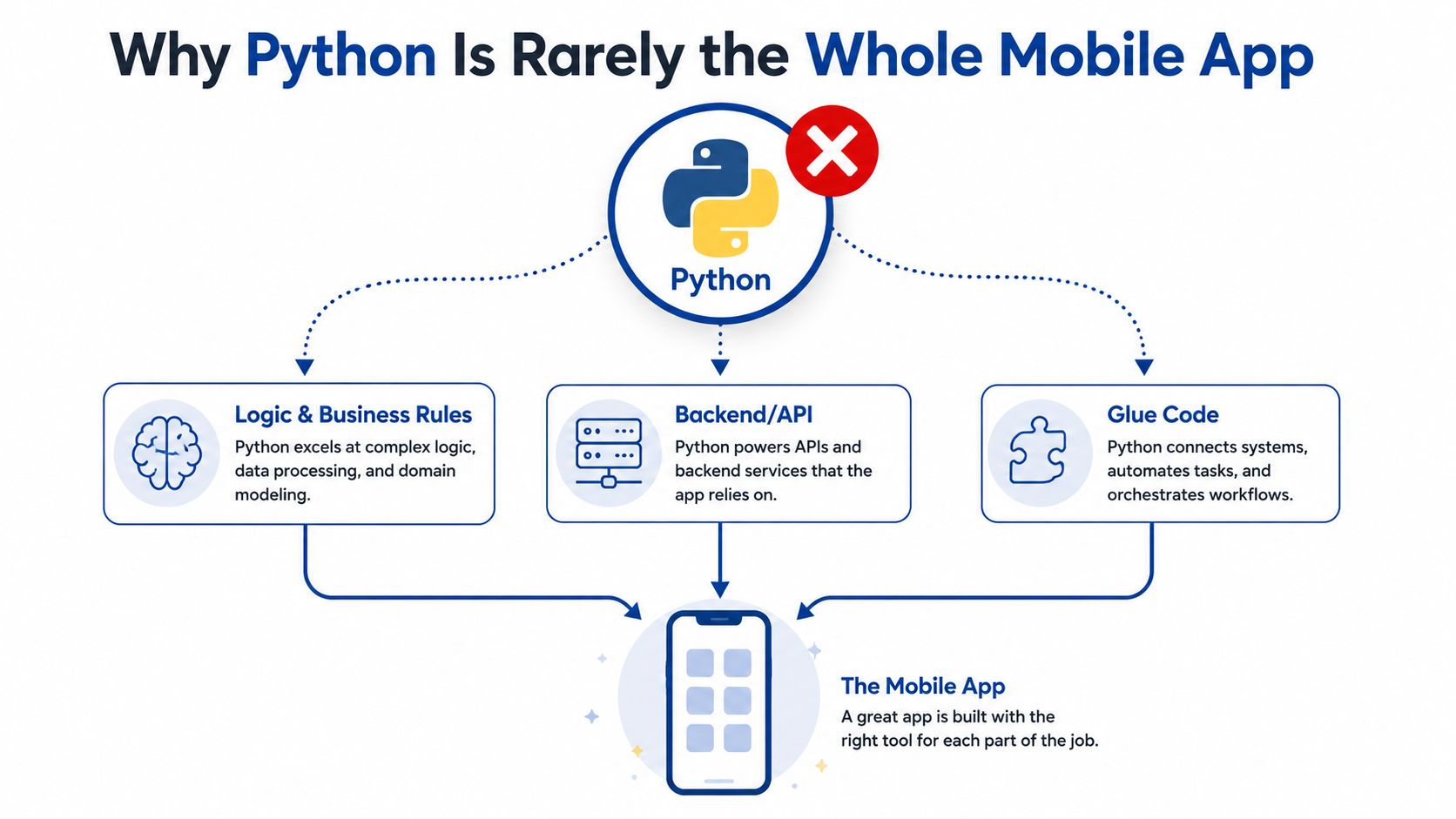
Python is an excellent product language. It's productive for APIs, automation, data processing, artificial intelligence services, validation rules, and internal tools. It isn't automatically the best language for every screen, gesture, animation, background task, or platform integration on a phone.
The practical question isn't “Can Python build a mobile app?” It can. The better question is “Which parts of this product benefit from Python, and which parts need native platform behaviour?”
India's distribution profile reinforces that choice. One 2026 market report estimates that Android accounts for about 97% of installs by volume, while iOS captures roughly 3% of installs but about 25% of in-app revenue. The same report estimates that the average Indian user has 88 apps installed and actively uses 22 apps per month, as reported by vMobify's India app install analysis. You need broad Android reach, but you also can't dismiss iOS if your product depends on higher-value customers.
Three architectures that actually make sense
A thin Python-native client uses Kivy or BeeWare for the interface and communicates with a Python API. This can work for a utility app, an internal workflow, a form-heavy tool, or a focused MVP where custom visual fidelity isn't the main differentiator.
A native shell with Python services puts Kotlin or Swift in charge of the mobile experience. The app calls FastAPI or Django REST services for business rules, recommendations, document processing, analytics, or AI features. This is usually the safest production architecture when the app needs polished platform behaviour.
A cross-platform Python UI keeps more of the client in Python. It reduces context switching for a Python team, but you accept framework-specific UI conventions, packaging complexity, and a smaller pool of mobile specialists.
Architectural rule: Use Python on the device when its productivity outweighs the cost of platform integration. Use Python behind the app when the product needs native mobile behaviour but Python remains the fastest way to build the service layer.
India's scale makes this a serious commercial decision. The market summary cited by IBEF's app economy reference projected app revenue from US$1,662.4 million in 2022 to US$2,364.6 million by 2026, at a 9.2% CAGR. The same reference notes US$3.8 billion in 2024 revenue, 783 million smartphone users, and more than 25 billion app downloads in India. Those signals favour architectures that ship reliably, keep data usage controlled, and support Android first without making iOS an afterthought.
Choosing the Right Python Mobile Framework
Framework selection becomes clearer when you compare the app you need with the compromises each tool imposes. Kivy, BeeWare, Chaquopy, and Flet can all be useful, but they don't solve the same problem.
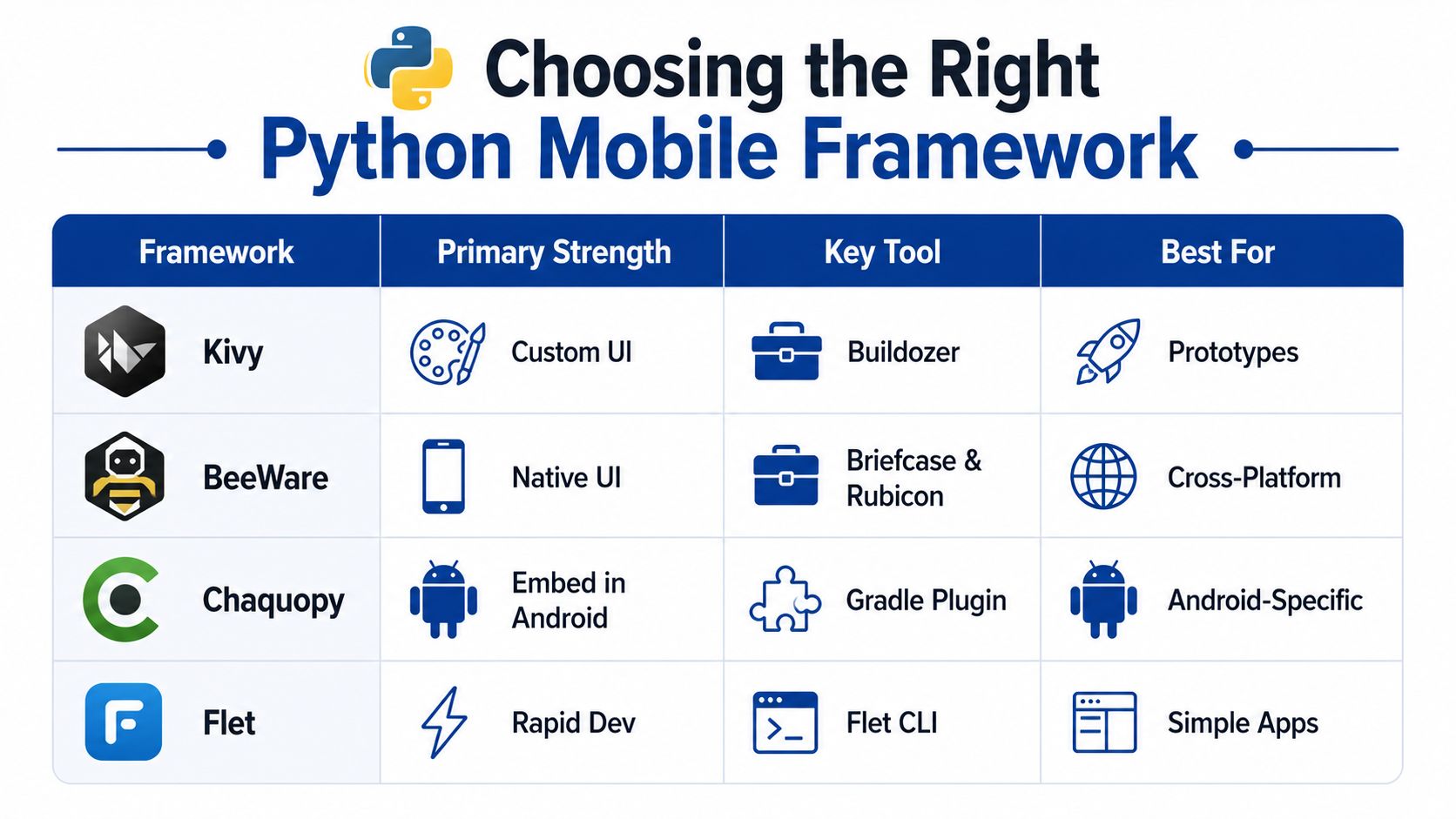
| Framework | Primary Use | UI Approach | Native API Access | Maturity |
|---|---|---|---|---|
| Kivy | Custom cross-platform interfaces | Kivy widgets and layouts | Via bridges and platform code | Established Python mobile option |
| BeeWare | Python applications with native-style controls | Native widgets through Toga | Rubicon and platform bindings | Promising, with a smaller ecosystem |
| Chaquopy | Python embedded in Android | Android UI with Python components | Strong Android and Java interoperability | Practical for Android-specific hybrids |
| Flet | Rapid, simple application development | Declarative controls | More limited for deep platform features | Suitable for focused apps and prototypes |
Kivy for custom interfaces
Kivy remains the pragmatic choice when you want a Python-led UI and a familiar APK workflow. Its custom rendering model suits dashboards, field tools, education products, and apps that don't need to look exactly like a standard Android or iOS application.
The trade-off is native fidelity. You may need extra work for platform-specific navigation, accessibility behaviour, permissions, notifications, and unusual device APIs. Kivy also gives you enough freedom to create inconsistent interaction patterns, so a designer and a real-device review process matter.
BeeWare for native-looking controls
BeeWare's Toga approach aims to use native widgets while keeping application code in Python. Briefcase handles packaging, and Rubicon helps Python interact with platform APIs. This is appealing when the app should feel closer to a conventional mobile product without abandoning Python.
The ecosystem is smaller than the mainstream native mobile ecosystems. Before committing, test the exact controls, permissions, background behaviour, and release configuration your product needs. A proof of concept should exercise real platform features, not just display a button.
Chaquopy for an Android-first hybrid
Chaquopy is often the most sensible route when Android is the primary target and the existing team already has a Java or Kotlin application. Python can handle selected modules, while Gradle and Android tooling remain in control of the application shell.
That division is valuable for products that need camera access, payment flows, background services, or mature Android libraries. It isn't a universal cross-platform answer. If iOS is a first-class target, you'll need a separate strategy rather than assuming the Android integration transfers cleanly.
Flet is worth considering for simple apps and rapid experimentation, but teams should validate native API access early. For founders turning an idea into a tightly scoped first release, LitSpark Solutions' MVP development service can be one route to keep discovery, UI decisions, and backend boundaries aligned before the framework choice hardens.
The framework doesn't define the product architecture by itself. Your target platforms, UI expectations, native API requirements, and team experience do.
Setting Up a Python Mobile Dev Environment
A clean environment prevents hours of debugging errors caused by mismatched toolchains. Start with a supported Python installation, then isolate the project so the mobile build doesn't inherit packages from unrelated work.
python3 --version
python3 -m venv .venv
source .venv/bin/activate
python -m pip install --upgrade pip
pip install kivy buildozer
On Windows, activate the environment with the equivalent .venv\Scripts\activate command. The point isn't the shell syntax. The point is reproducibility. Pin the dependencies once the first build works, and keep the project's Python version explicit. Python 3.11 or newer is a sensible baseline for a new project, provided the selected framework and build plugins support it.
The Android toolchain is part of the application
Buildozer doesn't replace Android's build system. It orchestrates it. You still need a Java Development Kit, Android SDK, Android NDK, platform tools, and build tools. Set JAVA_HOME, ensure the SDK paths are visible to the build process, and use the NDK version supported by the framework's current recipe set.
A typical first build looks like this:
buildozer init
buildozer android debug deploy run
The first run downloads and prepares dependencies, so it can take time. Edit buildozer.spec before building seriously. Set the package name, title, orientation, permissions, source extensions, and required Python modules. Don't request broad permissions just because they might be useful later. Store review and user trust both benefit from a narrow permission model.
If the build reports an NDK error, check the version in buildozer.spec against the recipes you're using. A missing JAVA_HOME usually produces a Java or Gradle failure rather than a Python failure. An API-level mismatch can appear as an obscure dependency or manifest error, so keep compile and target settings consistent across the project.
Python syntax details also create avoidable bugs in UI callbacks and API responses. A concise reference such as this guide to Python string equality for mobile developers is useful when a comparison behaves differently from an identity check.
Verify on a real device early
An emulator is valuable for repeatable tests, but it won't expose every keyboard, GPU, permission, battery, or network issue. Enable USB debugging, connect an Android device, and run the same deployment command against it. Keep the first screen small, confirm navigation, exercise the API, and inspect logs before adding a large dependency tree.
Mac teams also need Xcode and CocoaPods for iOS work. BeeWare's Briefcase or another supported packaging route must produce an Xcode project that you can open, configure, sign, archive, and test on an iPhone. Don't promise iOS support until that path works on a real Apple device.
Building, Packaging and Shipping to Stores
A Python source tree isn't a store submission. The release pipeline has to turn application code, the Python runtime, framework libraries, native dependencies, assets, and configuration into platform artifacts that can be signed and reviewed.
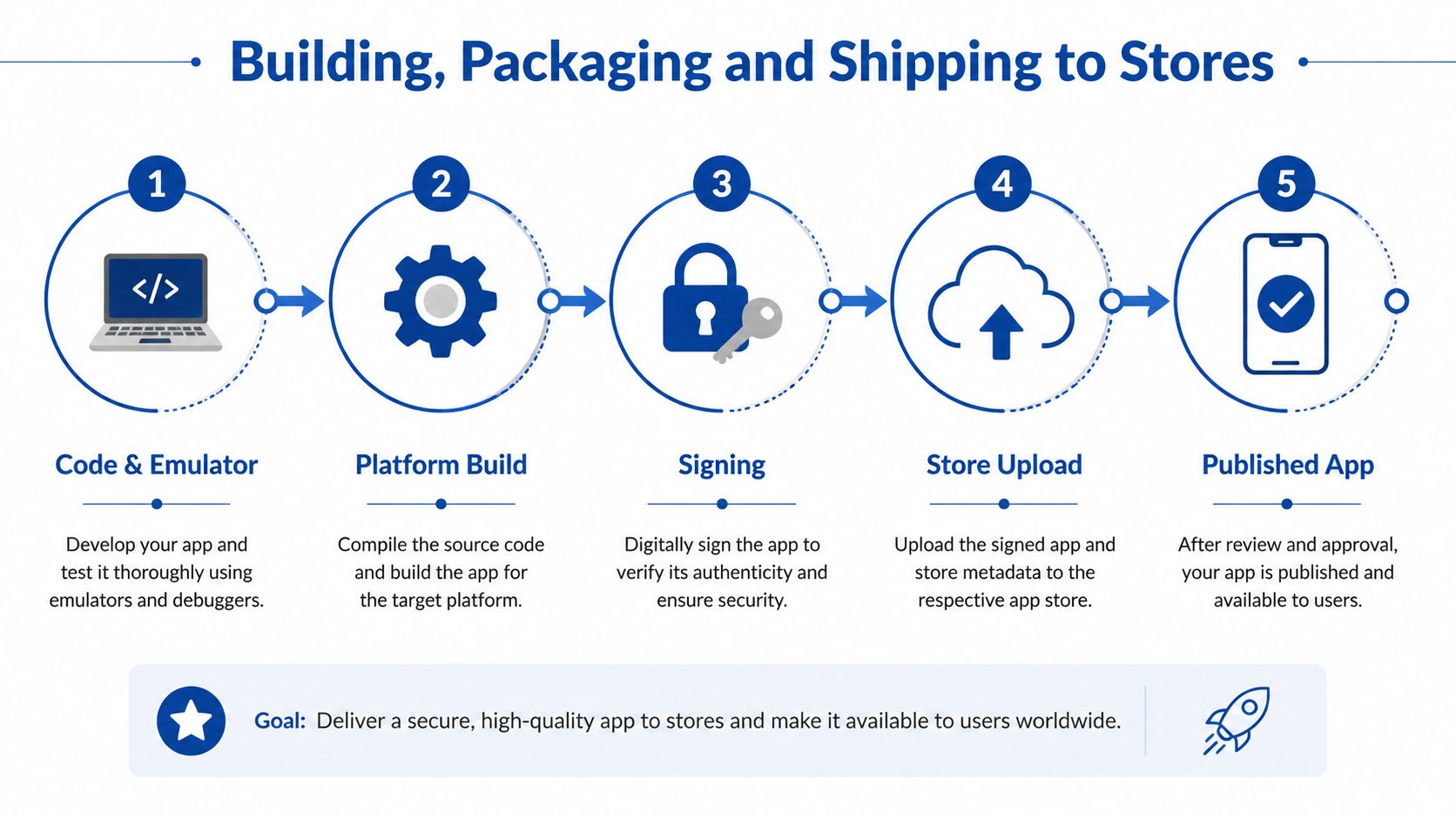
With Kivy, Buildozer typically drives Gradle and produces an Android debug or release build. The packaged application includes a Python runtime and the modules your code imports. That makes the binary heavier than a minimal native application, especially when the dependency graph includes scientific, image, or machine-learning packages.
Use the build configuration to include only the modules you need. Remove unused assets, avoid importing large libraries for small tasks, and separate server-side dependencies from client dependencies. A mobile client shouldn't carry a data-processing stack that belongs in the API.
Signing is a release concern, not a final-day task
Debug builds are for local testing. A store build needs release signing credentials, controlled secrets, a stable application identifier, and a repeatable Gradle configuration. Keep signing keys outside the repository and inject them through the CI environment. Make sure the team can reproduce a release without relying on one developer's laptop.
For iOS, the path moves through Xcode. The generated project must use the correct bundle identifier, provisioning profile, certificates, entitlements, and archive settings. You then validate the archive and upload it through Xcode or Apple's supported distribution tooling. Test permissions, background modes, push notifications, and payment behaviour on the target device before submitting.
Store metadata deserves the same discipline. Prepare the privacy disclosures, screenshots, age or content declarations, permission explanations, support information, and review credentials where required. Interpreted runtimes aren't automatically rejected, but a reviewer still expects a stable app that behaves like a native product. If a feature depends on a remote service, make the review account and service state reliable.
Release rule: Treat packaging as a product feature. If the signed artifact, permissions, offline behaviour, and store metadata haven't been tested together, the app isn't ready to publish.
The lifecycle is iterative. A small emulator build becomes a device build, then a signed internal release, then a store submission. Each loop should expose a different class of failure, from missing native libraries to entitlement errors and review questions.
Performance Tuning Where It Actually Matters
“Python is slow” is too imprecise to guide an engineering decision. A simple Kivy interface can reach 60+ FPS on mid-range Android devices, according to benchmark-style practitioner guidance from Oreate AI's technical comparison of Kivy, PyQt, and BeeWare. That result is relevant for ordinary forms, navigation, dashboards, and light interaction. It doesn't make Python a good choice for every rendering workload.
Find the hot path before changing languages
Profile the device experience. Measure startup, screen transitions, list scrolling, network waits, image decoding, and the functions that execute during animation. A slow screen often spends more time loading oversized assets or making serial API calls than executing Python instructions.
For numeric loops or repeated transformations, compile the hot path with Cython. This is useful when a local operation runs frequently and moving it to the backend would create unacceptable latency. Keep the Python-facing interface small so the optimisation doesn't turn the codebase into an unmaintainable native extension.
Rendering overhead needs a different treatment. Texture atlases combine image resources so the renderer can reduce texture changes and draw-call pressure. They're particularly useful for sprite-heavy interfaces and animation. The Oreate AI guidance recommends both Cython for performance-sensitive paths and texture atlases for reducing rendering overhead.
Know when tuning has stopped being sensible
Three-dimensional games and real-time video processing remain better suited to native stacks, according to the same practitioner material. If profiling shows sustained rendering pressure, tight frame deadlines, or hardware-specific behaviour that the Python framework can't expose cleanly, move that module to Kotlin, Swift, C++, or a platform library.
A Python backend can handle compute-heavy work when the user experience tolerates network latency and the operation can be queued or streamed. That suits document processing, recommendations, reporting, and AI inference better than camera effects or gesture-critical rendering.
The useful mental model is simple. Keep Python for I/O-heavy application behaviour and business logic. Isolate compute-heavy or platform-sensitive work, then choose between Cython, a backend service, or native code based on measured constraints rather than reputation.
Testing, CI and Backend Integration
A mobile test strategy should follow the architecture. Test Python business rules on the host machine, exercise UI behaviour on devices, and verify the API under the connectivity conditions your customers face.
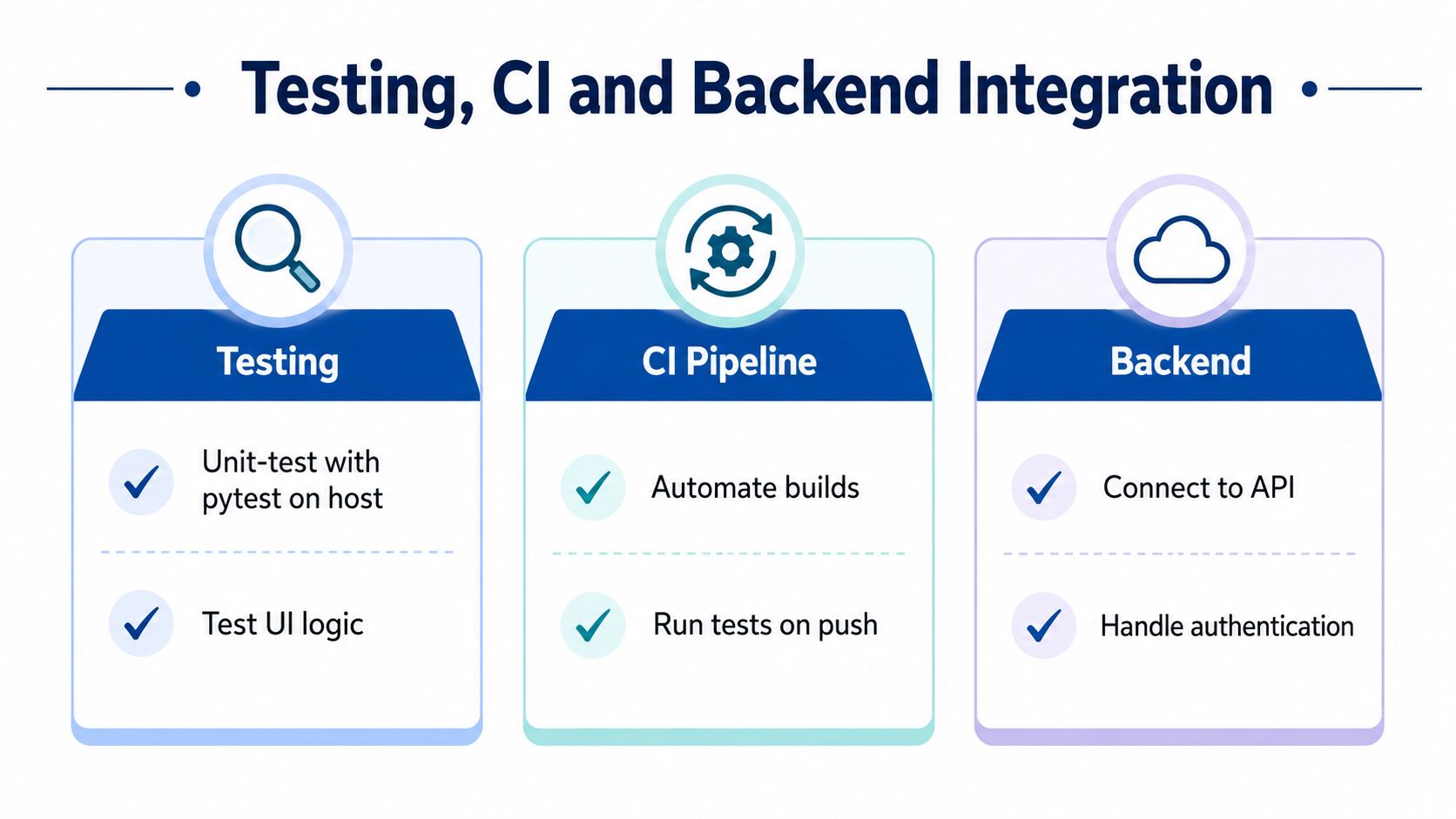
Start with pytest for validation, serialisation, state transitions, retry rules, and offline queue logic. Keep these tests independent of the screen so they run quickly on every commit. Use ADB-driven Android checks for installation, launch, permissions, deep links, and core user journeys. On iOS, use Xcode's test runner and a device or simulator appropriate to the feature under test.
| Layer | Recommended Tool | Purpose |
|---|---|---|
| Python logic | pytest | Validate rules, parsing, and state |
| Android device | ADB and framework test tools | Exercise installation and device behaviour |
| iOS client | Xcode test runner | Validate Apple-specific flows |
| API | FastAPI or Django REST with Python tests | Check contracts, auth, and error handling |
| CI | GitHub Actions or GitLab CI | Run tests and produce repeatable builds |
Make the API part of the mobile contract
FastAPI or Django REST can expose REST endpoints, while GraphQL can reduce over-fetching when screens need different data shapes. Store authentication tokens in the platform keychain rather than plain preferences. Rotate credentials, handle expired sessions, and make server errors understandable without exposing sensitive details.
India-specific conditions make offline-first behaviour more than a design preference. The market recorded 24.3 billion app downloads in 2024 and 1.12 trillion hours of app usage, while The Economic Times reports that downloads fell slightly from the previous year even as engagement rose. Users may open the app frequently without having a consistently strong connection.
Design the client to cache safe reads, queue writes, attach idempotency keys to payments or other critical operations, and reconcile conflicts explicitly. For UPI-first journeys, never assume a successful handoff means your server has received final confirmation. Poll or receive a verified callback, show a pending state, and let the user recover without duplicating an action.
Put the workflow on every push
A useful CI pipeline runs host-side tests, builds the Android artifact, checks package contents, and stores the output for review. A protected release job handles signing only after the relevant branch and approvals pass. LitSpark Solutions' cloud and DevOps service is one option for teams that need help assembling this build, test, and deployment workflow.
The pipeline should also test API compatibility. A client build that passes UI checks but sends an outdated field name still fails in production. Contract tests, staged endpoints, and observable rollback paths keep mobile and Python services deployable without synchronising every release manually.
Common Pitfalls and When to Hire a Python Mobile Partner
Five mistakes recur in Python mobile projects:
- Rejecting native code too early: A small Kotlin or Swift module can be healthier than forcing a framework bridge to handle a platform feature.
- Ignoring package size: Python runtimes and broad dependencies increase download and startup costs.
- Skipping real-device testing: Emulators won't reveal every keyboard, GPU, battery, or connectivity issue.
- Underestimating store review: Permissions, disclosures, signing, and reviewer access need preparation.
- Treating Python as universal: Python may be ideal for the API and the wrong choice for a frame-critical client feature.
A solo founder with a narrow workflow can start with Kivy and keep the feedback loop close. An established product team with Android or iOS expertise may prefer a native shell and Python services. A company facing a compressed launch window may need contract engineers who can cover mobile, backend, QA, and release operations without building every capability internally.
LitSpark Solutions Private Limited offers Python and full-stack development alongside mobile app development services. Evaluate the route against your constraints: Kivy DIY for a contained prototype, in-house hiring for long-term platform ownership, or agency augmentation when you need screened developers, design, QA, and ongoing support around a defined release.
If you're planning a Python-backed mobile product for Android, iOS, or both, LitSpark Solutions Private Limited can help define the architecture, build the API and client, establish CI and QA, and prepare the release pipeline. Visit LitSpark Solutions Private Limited to discuss your product scope and choose the right balance between Python, native code, and cross-platform tooling.
- mobile app development with python
- python mobile frameworks
- kivy vs beeware
- python android ios
- litspark solutions