Designing14 min read
UI/UX Design Principles Your Business Needs to Grow
Master essential UI/UX design principles to boost conversions and user loyalty. This guide provides data-backed insights, examples, and actionable checklists.
By the LitSpark Solutions team · Updated
- AI Automation
- Advertising
- Designing
- Development
- Digital Marketing
- MVP
- Resource Hiring
- Shoot

A lot of founders still treat UI/UX as visual polish added near launch. That thinking gets expensive fast. Forrester says a well-designed UI can raise conversion by up to 200%, better UX can yield conversion rates of up to 400%, and UX returns $100 for every $1 invested, with 94% of first impressions tied to design according to the same Adobe summary of the research in these UX figures.
In India, that matters even more because competition is dense, switching costs are low, and users won't patiently fight through friction. If your product is hard to understand, slow to respond, or inconsistent across screens, people leave. They don’t send a polite note explaining why. They abandon the flow, uninstall the app, or choose the competitor whose product feels easier.
That’s why ui/ux design principles aren’t decorative rules. They’re operating rules for growth. They shape how quickly a user understands value, how confidently they move through a checkout or sign-up, and whether they trust your product enough to come back.
Table of Contents
- Why Great Design Is Your Biggest Growth Lever
- The 7 Core UI/UX Design Principles Explained
- Achieving Clarity with Usability Consistency and Feedback
- Guiding Users with Hierarchy Affordance and Performance
- Designing for Everyone The Business Case for Accessibility
- Your Actionable UI/UX Design Audit Checklist
- How to Hire and Collaborate with UI/UX Designers
Why Great Design Is Your Biggest Growth Lever
Founders usually notice design only when metrics stall. Conversion drops. Demo requests flatten. Cart abandonment rises. Support tickets keep repeating the same confusion. In most of these cases, the problem isn’t just messaging or pricing. The interface is making the user work too hard.
A good product experience reduces hesitation. A weak one creates micro-friction at every step. Labels feel vague, buttons compete for attention, forms ask too much, and screens don’t reassure users that they’re moving in the right direction. That friction compounds into lost revenue.
Design changes business outcomes
The strongest reason to care about ui/ux design principles is simple. They influence the behaviours your business depends on.
- Conversion: Clear flows help users complete sign-up, checkout, booking, or enquiry actions.
- Retention: Predictable experiences bring people back because they remember how to use the product.
- Satisfaction: Better interactions lower frustration, which reduces complaints and improves trust.
- Efficiency: A cleaner interface cuts rework for product, support, and engineering teams.
Practical rule: If users need to pause and interpret the interface, the design is already underperforming.
In founder conversations, I often frame design as a growth system rather than a creative deliverable. You’re not paying for prettier screens. You’re paying to remove points where intent leaks out of the funnel.
Why this is sharper in the Indian market
Indian digital products often serve mixed audiences at once. First-time users and power users may be in the same funnel. Mobile conditions vary. Language comfort varies. Purchase confidence varies. A product that works only for highly motivated users won’t scale cleanly.
That’s why mature teams review real journeys, not just homepage visuals. They test how fast a new visitor understands the offer, how smoothly a shopper reaches payment, and where confusion shows up in actual behaviour. A portfolio worth reviewing is one that shows this thinking through shipped work, not just glossy mockups, as you can see in recent product delivery examples.
Good design earns its budget when it removes uncertainty. That’s the growth lever. It shortens the path from curiosity to action.
The 7 Core UI/UX Design Principles Explained
Every strong product team ends up relying on the same core ideas. The labels can vary, but the fundamentals don’t. These seven ui/ux design principles are the ones that most directly affect how users move, decide, and convert.
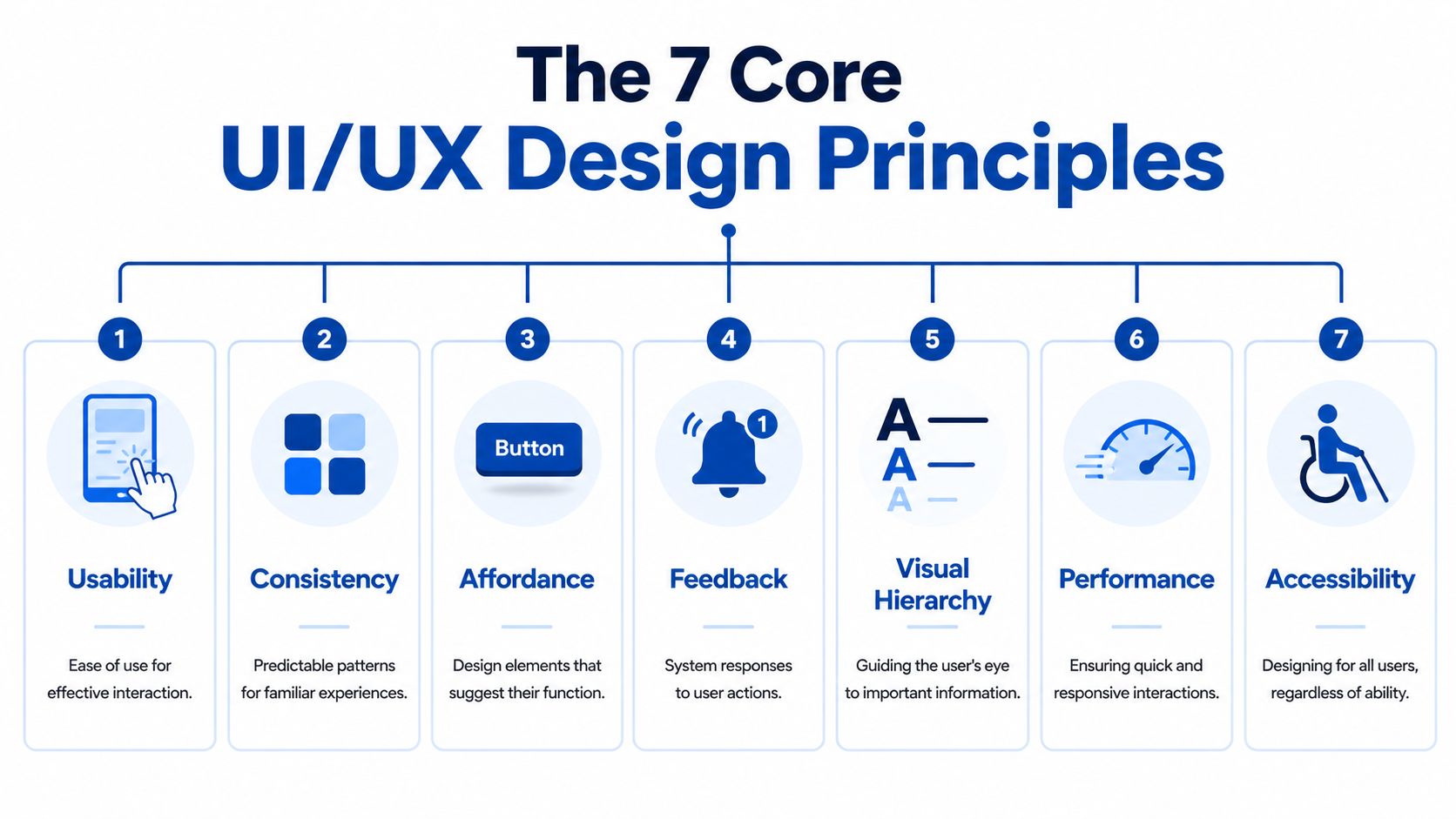
Think of them like the structural parts of a building. You can change the paint and furniture later. If the layout is confusing and the doors are in the wrong places, the building still fails.
The principles that shape product behaviour
Usability means the product is easy to use for the task it exists to support. If a user wants to reorder groceries, book a consultation, or generate an invoice, the path should feel obvious.
Consistency means the same patterns behave the same way across screens. Buttons, labels, spacing, and interactions should feel organised rather than improvised.
Affordance is about signals. A button should look tappable. A card should look expandable if it opens. Users shouldn’t need to guess what is interactive.
Feedback tells users what just happened. A loading state, success message, inline error, or saved indicator prevents uncertainty.
Visual hierarchy guides attention. It helps users see what matters first, what supports it, and what can wait.
Performance shapes perceived quality. Even a useful flow feels unreliable if it responds poorly or loads awkwardly.
Accessibility ensures more people can use the product comfortably, including users with different visual, cognitive, motor, or situational needs.
Why founders should care about the distinction
A common issue in hiring is that teams ask for “UI/UX” but don’t know what work sits inside each discipline. If you need a sharper mental model, this guide on clarifying UX/UI roles is useful because it separates interface craft from experience design decisions.
A polished interface can still fail if the journey underneath is confusing.
That’s why the best design work doesn’t start in Figma with colours. It starts with user tasks, flow logic, priorities, edge cases, and content clarity. Visual design then reinforces those decisions.
For founders building a web app, ecommerce flow, or mobile product, the fastest way to operationalise these principles is through a structured design process and reusable patterns rather than one-off screens. Teams that need that setup usually start with dedicated UI/UX design services for product screens and flows, then build design systems from there.
Achieving Clarity with Usability Consistency and Feedback
Three principles decide whether a product feels intuitive in the first minute. Usability, consistency, and feedback. When these are weak, users hesitate. When they’re handled well, the interface fades into the background and the task becomes the focus.

Usability removes avoidable effort
Usability sounds obvious, but teams still miss it because they design around internal logic instead of user intent. A founder thinks in features. A user thinks in outcomes. They want to pay a bill, compare plans, reorder medicine, or find a contact number.
That changes how screens should be structured. Good usability means fewer decisions, clearer labels, and a path that matches the user’s mental model. On an ecommerce product page, for example, the user should be able to understand the item, trust the information, and act without hunting for the next step.
Poor usability usually shows up in patterns like these:
- Overloaded forms: Too many fields upfront, especially when several aren’t essential to complete the action.
- Ambiguous copy: Labels like “Proceed” or “Continue” with no context about what happens next.
- Buried actions: Important buttons pushed below clutter, banners, or secondary options.
Consistency cuts cognitive load
Consistency is one of the most impactful principles because it improves speed and confidence at the same time. According to a 2024 NASSCOM report, implementing the Consistency principle can reduce user cognitive load by 40 to 60%, and in A/B tests across Indian e-commerce apps, it cut task completion time from 12 seconds to 5 seconds, as cited in this summary on UI/UX design principles.
That result makes sense in practice. If your primary CTA is blue on one screen, grey on another, and tucked into a floating footer elsewhere, users need to relearn the interface repeatedly. Every tiny relearning moment slows completion.
A consistent system usually includes:
| Area | What good looks like | What goes wrong |
|---|---|---|
| Navigation | Same placement and naming across screens | Menus shift or rename actions |
| Buttons | Primary and secondary actions keep fixed styles | Equal styling makes priorities unclear |
| Forms | Inputs, error states, and help text follow one pattern | Each form behaves differently |
| Content layout | Similar spacing and visual grouping | Screens feel stitched together |
If one checkout step feels different from the previous one, users start wondering whether they’re still on the right path.
Feedback builds confidence at decision points
Feedback is where many products lose trust. The user taps “Pay now” and nothing seems to happen. They submit a lead form and land on the same screen. They save a setting and can’t tell whether it worked.
That uncertainty creates duplicate actions, drop-offs, and support requests.
Useful feedback doesn’t need to be flashy. It needs to be timely and clear.
- For loading: Use progress indicators or skeleton states so the interface doesn't feel frozen.
- For success: Confirm completion with concise messages and show the next relevant action.
- For errors: Explain what failed in plain language and point to how the user can fix it.
- For destructive actions: Add confirmation before deletion, not after the damage is done.
In products that convert well, these three principles work together. Usability makes the path clear. Consistency makes it familiar. Feedback makes it trustworthy.
Guiding Users with Hierarchy Affordance and Performance
Some principles reduce friction. Others actively direct behaviour. Visual hierarchy, affordance, and performance shape where users look, what they think is possible, and whether they feel the product is dependable enough to continue.
Hierarchy decides what gets attention first
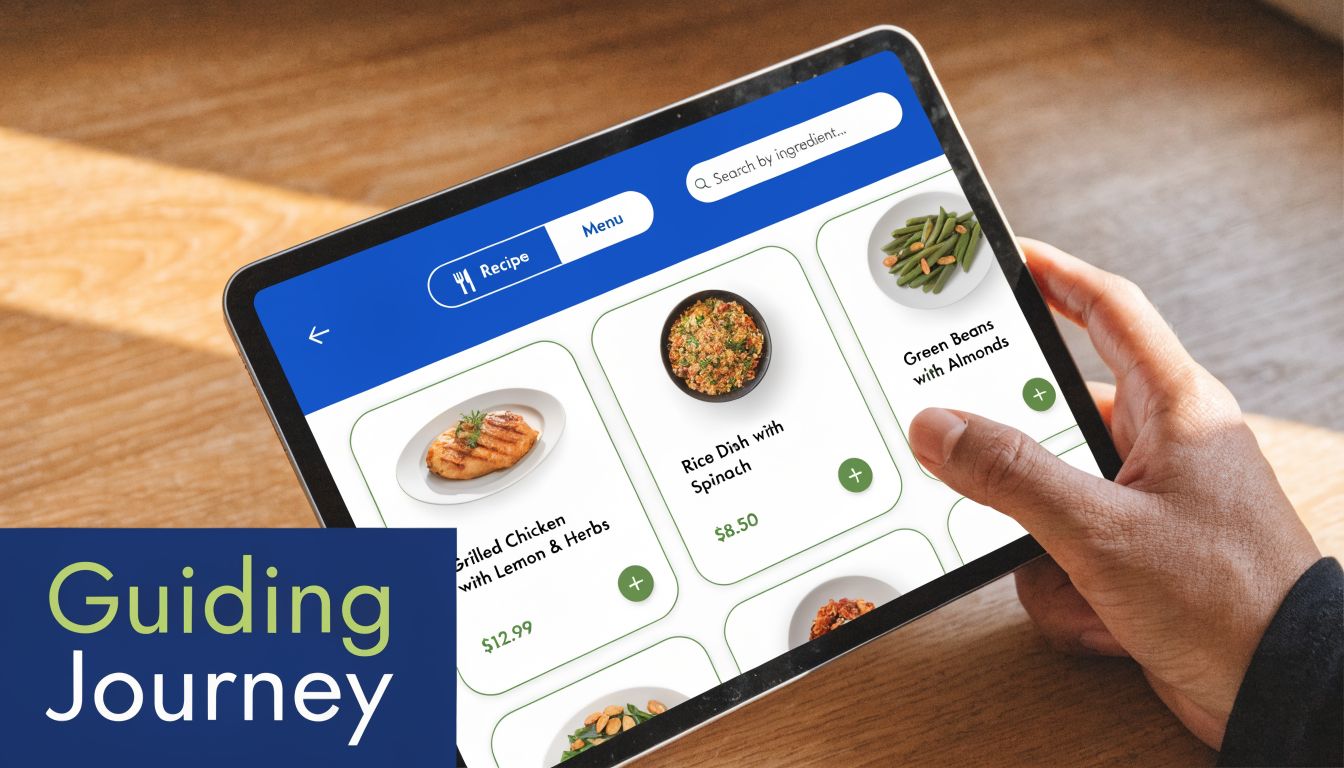
A screen without hierarchy forces users to scan everything with equal effort. That’s a problem because most users don’t read interfaces line by line. They scan for cues that tell them what matters now.
On a food ordering app, the product image, price, delivery context, and “Add” action should outrank decorative details. On a SaaS dashboard, the current status, key metric, and next recommended task should outrank secondary settings.
Strong hierarchy usually comes from a few practical decisions:
- Size and weight: Bigger headings and stronger type weights signal priority.
- Spacing: White space around a critical action increases attention without adding noise.
- Contrast: Important actions should stand apart from neutral content.
- Grouping: Related details should feel visually connected so users don't assemble meaning manually.
When teams ignore hierarchy, they often add more visual elements to “improve engagement”. That usually makes the interface harder to parse.
Affordance tells users what they can do
Affordance is one of those principles users never name, but they feel it immediately. If something looks tappable, they tap. If it looks static, they ignore it.
Business-critical actions often fail for simple visual reasons. A checkout promo field is styled like body text. A filter icon looks decorative. A card appears clickable but only one small text link inside works.
Good affordance relies on cues users already understand:
| Element | Helpful cue | Risky alternative |
|---|---|---|
| Button | Clear fill, contrast, padding, visible state | Plain text that looks like a label |
| Input field | Border, placeholder, cursor behaviour | Flat line with unclear interaction |
| Expandable section | Chevron or plus icon with title | No hint that content opens |
| Drag item | Grip handle or spatial hint | Hidden behaviour with no visual cue |
The safest interaction pattern is usually the one users already recognise.
Novel interfaces can win awards. They often lose conversions. If a founder has one growth screen to optimise, I’d always choose clarity over originality.
Performance shapes perceived trust
Performance isn’t just engineering territory. Design decisions influence how fast a product feels. Heavy media, cluttered screens, unstable layouts, and unclear loading states all damage perceived quality even before a backend issue enters the picture.
This is especially visible on mobile-first products. A user opening a catalog, payment screen, or booking flow gives you a short window to preserve momentum. If that screen appears unstable, they start doubting the transaction.
A better approach includes:
- Prioritise visible content first so the user can orient quickly.
- Use skeleton screens carefully when real loading takes time.
- Avoid layout jumps that move buttons or content after the page appears.
- Reduce decorative complexity on task-heavy screens.
Performance and hierarchy are tightly linked. Fast interfaces still fail when the eye doesn’t know where to go. Clean hierarchy still fails when interactions lag. Good products solve both at once.
Designing for Everyone The Business Case for Accessibility
Accessibility still gets sidelined as a compliance task or a late-stage clean-up. That’s a mistake. In a market as broad and varied as India, accessibility is a product strategy.
In India, 10 to 15% of the population experiences neurodivergence, internet users are projected to exceed 900 million by 2025, and bounce rates on e-commerce sites can reach up to 70% when standard interfaces lack cognitive ease, according to this discussion of neuro-inclusive UX design principles.
Accessibility isn't a niche requirement
Many teams hear “accessibility” and think only about screen readers. That’s too narrow. Real accessibility work also includes readable content, predictable layouts, reduced overload, strong contrast, clear focus states, forgiving forms, and interactions that don’t punish users for small mistakes.
For Indian products, this matters across multiple realities at once. Users may be dealing with crowded screens, low attention, mixed language fluency, mobile-only usage, or cognitive overload during checkout and onboarding. A design that supports cognitive ease helps far more people than the formal accessibility category alone suggests.
Neuro-inclusive design is a practical business move
Neuro-inclusive patterns improve more than inclusion. They improve comprehension.
Consider what tends to work better in real product flows:
- Clearer content blocks: Short chunks outperform dense, uninterrupted paragraphs.
- Progressive disclosure: Show only what the user needs now instead of exposing every option at once.
- Stable screen structure: Predictable placement lowers mental effort.
- Reduced sensory noise: Fewer competing banners, pop-ups, and motion effects keep the task visible.
Accessible design often looks less clever in a Figma review and performs better in the market.
The founders who dismiss accessibility as “edge case design” usually end up shipping products that are harder for everyone to use. The opposite approach works better. Design for range, not for an idealised user with perfect attention, perfect eyesight, perfect bandwidth, and infinite patience.
Your Actionable UI/UX Design Audit Checklist
Most founders don’t need a full heuristic review to spot early design problems. They need a quick way to pressure-test whether the product feels clear, trustworthy, and easy to complete. This checklist works well for an internal review, a vendor evaluation, or a weekly product walkthrough.
If your team also needs a more formal accessibility reference, the wcag aaa checklist is useful for reviewing areas that product teams often skip.
Quick UI/UX Audit Checklist
| Principle | Checklist Item | Yes/No |
|---|---|---|
| Usability | Can a new user identify the primary action on the screen within a few seconds? | |
| Usability | Are forms asking only for information that is necessary at this stage? | |
| Consistency | Are primary buttons styled the same way across key screens? | |
| Consistency | Do navigation labels and menu positions remain stable throughout the product? | |
| Feedback | Does every important action produce an immediate response or status update? | |
| Feedback | Are error messages specific enough to help the user recover quickly? | |
| Visual Hierarchy | Is the most important content visually dominant without needing explanation? | |
| Visual Hierarchy | Is secondary information de-emphasised rather than competing with the main task? | |
| Affordance | Do clickable elements clearly look interactive? | |
| Affordance | Are expandable, editable, or draggable elements visually obvious? | |
| Performance | Do loading states reassure users instead of leaving blank or frozen screens? | |
| Performance | Does the layout remain stable while content loads? | |
| Accessibility | Is text easy to read with sufficient contrast and clean spacing? | |
| Accessibility | Can users understand the flow without relying only on colour, motion, or memory? |
How to use this checklist well
Don’t turn this into a box-ticking exercise. Run it on your most valuable journeys first.
- Pick revenue-critical flows: Audit checkout, lead capture, onboarding, and account creation before lower-priority pages.
- Review on mobile first: That’s where hidden friction usually appears fastest.
- Use real devices: Browser previews miss interaction problems that show up on actual phones.
- Ask someone unfamiliar with the product: Fresh eyes reveal assumptions your team no longer notices.
A useful audit produces a short list of concrete fixes. Change the CTA label. Remove two form fields. Add a confirmation message. Simplify the navigation. Those are the design decisions that move metrics.
How to Hire and Collaborate with UI/UX Designers
Hiring design talent gets easier when you stop looking for “beautiful screens” and start looking for problem-solving. A strong designer explains why a flow changed, what trade-off they made, and how that decision supports conversion, retention, or usability.

What to look for in a portfolio and process
Ask for case studies, not just dribbble-style visuals. The useful signs are clear problem framing, user flow thinking, wireframes, iteration logic, and evidence that the designer can work with product and engineering constraints.
When you brief a designer, give them three things:
- Business goal: More completed purchases, more qualified leads, lower drop-off.
- User problem: What users are struggling to understand or finish.
- Constraints: Platform, timeline, engineering limits, content gaps, brand rules.
One practical option for companies that need embedded talent rather than a full in-house hiring cycle is design and development resource hiring, including contract or full-time support models.
A useful walkthrough on how designers think through interface decisions is below.
How to give feedback that improves the work
Vague feedback slows design down. “Make it pop” or “make it more premium” rarely helps. Better feedback connects design choices to user behaviour.
Try comments like these instead:
- For clarity: “Users may not understand what happens after this click.”
- For hierarchy: “The secondary action is competing with the primary one.”
- For confidence: “This screen needs a stronger success state after submission.”
- For usability: “This step asks for too much before trust is built.”
The healthiest founder-designer relationship is collaborative, not taste-driven. The question isn’t whether the screen looks nice. It’s whether the design helps the right user complete the right action with less friction.
If you're reviewing your product and can already see friction in sign-up, checkout, onboarding, or mobile usability, LitSpark Solutions Private Limited can help as a practical delivery partner across UI/UX, product development, and flexible resource support.
Authored using Outrank tool
- ui/ux design principles
- user experience design
- ui design
- product design
- app design